
The biggest transit agency in the Atlanta metro area is MARTA. I’ve been casually keeping up with MARTA’s open transit APIs and data since 2014. During this time, the underlying quality and diversity of the data has been unchanged in my head, and is worth educating people on in the event that it continues to go unchanged. Unless I’m mistaken, this is the data that powers the train station signs, the official web UI and mobile app. It also powers marta.io, which has been a side project of mine for nearly five years.
To me, MARTA’s open-data picture consists of three pieces:
- a real-time train API
- bus and train schedules published a few times a year (in GTFS format)
- a real-time bus API
They’ve had these things since I’ve been on the scene, and I’ve either used or attempted to use all of them at some point. Let’s see how quickly I can summarize things!
1. Real-time Train API
MARTA actually summarizes this one on their website, since it’s their creation:
The MARTA Rail Realtime RESTful data web service provides real-time train arrival information for MARTA stations. To use the service in your application, you need to sign up for the API key.
Being a regular train rider over the years, I’m probably biased when I say that this API is the most usable data MARTA makes available. One HTTP endpoint summarizes every moving train’s situation. It’s a big array of these:
{
  "DESTINATION": "North Springs",
  "DIRECTION": "N",
  "LINE": "RED",
  "STATION": "MEDICAL CENTER STATION",
  "TRAIN_ID": "404306",
  "WAITING_SECONDS": "-35",
  "WAITING_TIME": "Boarding"
}
That’s an entry showing a train with ID 404306 currently boarding at Medical Center Station. Its waiting_seconds is negative to show you that it has (supposedly) been sitting at that station for 35 seconds. So, this endpoint gives you both the current status of a train_id (like above), and it has future estimates for each train_id. At the time I pulled the above entry, the 2nd entry for this ID showed it as 1 minute away from Dunwoody Station:
{
  "DESTINATION": "North Springs",
  "DIRECTION": "N",
  "LINE": "RED",
  "STATION": "DUNWOODY STATION",
  "TRAIN_ID": "404306",
  "WAITING_SECONDS": "92",
  "WAITING_TIME": "1 min"
}
I attribute the existence of marta.io to the simplicity and usability of this endpoint. I added two filters (station + train_id), and pretty much display the raw information from that API endpoint. An exception is the station GPS coordinates that I hard-coded so that the “nearby stations” feature can work.
2. GTFS Schedule Data
MARTA publishes a big 40MB ZIP file of schedule data regularly for Google to import. The vast majority of that data is bus-related, including things like stop timestamps and trip head-signs. Google drives its directions UIs using that data. If you get bus directions on maps.google.com, you’ll see MARTA data in the results, and my impression is that this comes directly from the ZIP they publish on their Developer Resources page. The data is published in the GTFS format.
To me, the General Transit Feed Specification (GTFS) is just a database schema that everyone has agreed on. It’s a set of database table names, and their list of required columns. The big ZIP file that MARTA publishes conforms to the spec, and includes several CSV files. The main tables and their immediate relationships are:
stops ↔ ️stop_times ↔ ️trips ↔ routes
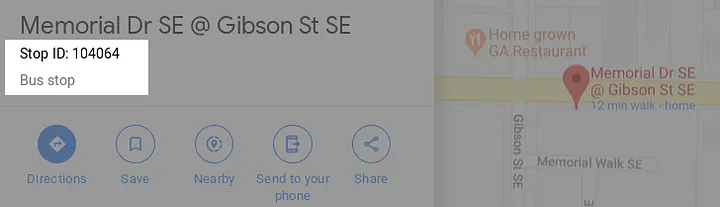
When I say “relationship” I just mean that they have ID columns linking them. If you have a route_id, you can list the trips with that ID. You can take those trip IDs and list the stop_times with those IDs. Lastly, stop_times has a stop_id column that will let you look up the name and GPS coordinates in the stops table. That I know of, there’s no way to get pushed this data. You have to regularly check MARTA’s website and download the latest schedule. If you don’t, you are hoping that no big changes occur to invalidate your local copy.
3. Bus API
Last and totally least (in my opinion) is the Bus data. You don’t currently need an API key to hit this endpoint. Like the train API, it too is a big list, but it only has one entry for every vehicle_id. If you’re hoping to see future estimates for a bus, you have to build it yourself using the 40MB GTFS ZIP file, and you have to keep that ZIP file updated. The basic idea I have is that you take an entry like this:
{
  "ADHERENCE": "-32",
  "BLOCKID": "487",
  "BLOCK_ABBR": "809-2",
  "DIRECTION": "Southbound",
  "LATITUDE": "33.8106058",
  "LONGITUDE": "-84.3707666",
  "MSGTIME": "11/17/2019 2:18:05 PM",
  "ROUTE": "809",
  "STOPID": "103900",
  "TIMEPOINT": "King Memorial Station",
  "TRIPID": "6852151",
  "VEHICLE": "1893"
}
and assuming MARTA keeps things updated, you can take that TRIPID value and look that up in the GTFS data, in the trips table. From there you can get all the future stops for the bus, and link it up to the future stop you care about. The other IDs (BLOCKID, ROUTE, and STOPID) also tie up to the schedule data.
This API endpoint is sorted by MSGTIME, which I believe is the timestamp that the bus last checked in. I’ve gathered a couple conspiracy theories over the years involving bus drivers having to manually check-in to produce these API entries. To this day I imagine stressed out MARTA bus drivers sitting in Atlanta traffic, just trying to survive. If we are relying on them to manually populate this API, then I can imagine there will be edge cases.
I also put the bus API last because I have yet to be able to build anything usable with it, even though people have requested it multiple times over the years. You have to import 40MB of CSVs, you have to keep them updated, and that is just way more maintenance than filtering the single train API endpoint.
That’s all I got. The above are my impressions as of November 2019. A few days since posting this, some of the above got discussed on a reddit post, so my impressions continue to evolve!
Addendum (2025): This post is pretty outdated now. The MARTA developer site has GTFS-realtime protobuf endpoints available, and even the train arrivals API has some new fields that are useful and interesting.